Expert Advisors: the rules that get accounts breached
By Tomas Rieder

Expert Advisors breach prop firm accounts because traders deploy automated systems without fully mapping the EA's logic to the firm's specific rules. An EA that's profitable on a personal account operates in a different constraint environment: prop firms enforce drawdown limits, consistency requirements, and prohibitions on strategies like martingale, hedging, and arbitrage. If your EA isn't explicitly configured and tested against all of your firm's rules, not just generic trading parameters, it will violate one of them, and your account gets terminated.
This guide walks you through the specific rule categories that trigger breaches, how to audit your EA before deployment, and the common configuration mistakes that catch most traders.
Quick answer: Why EAs breach accounts and how to prevent it
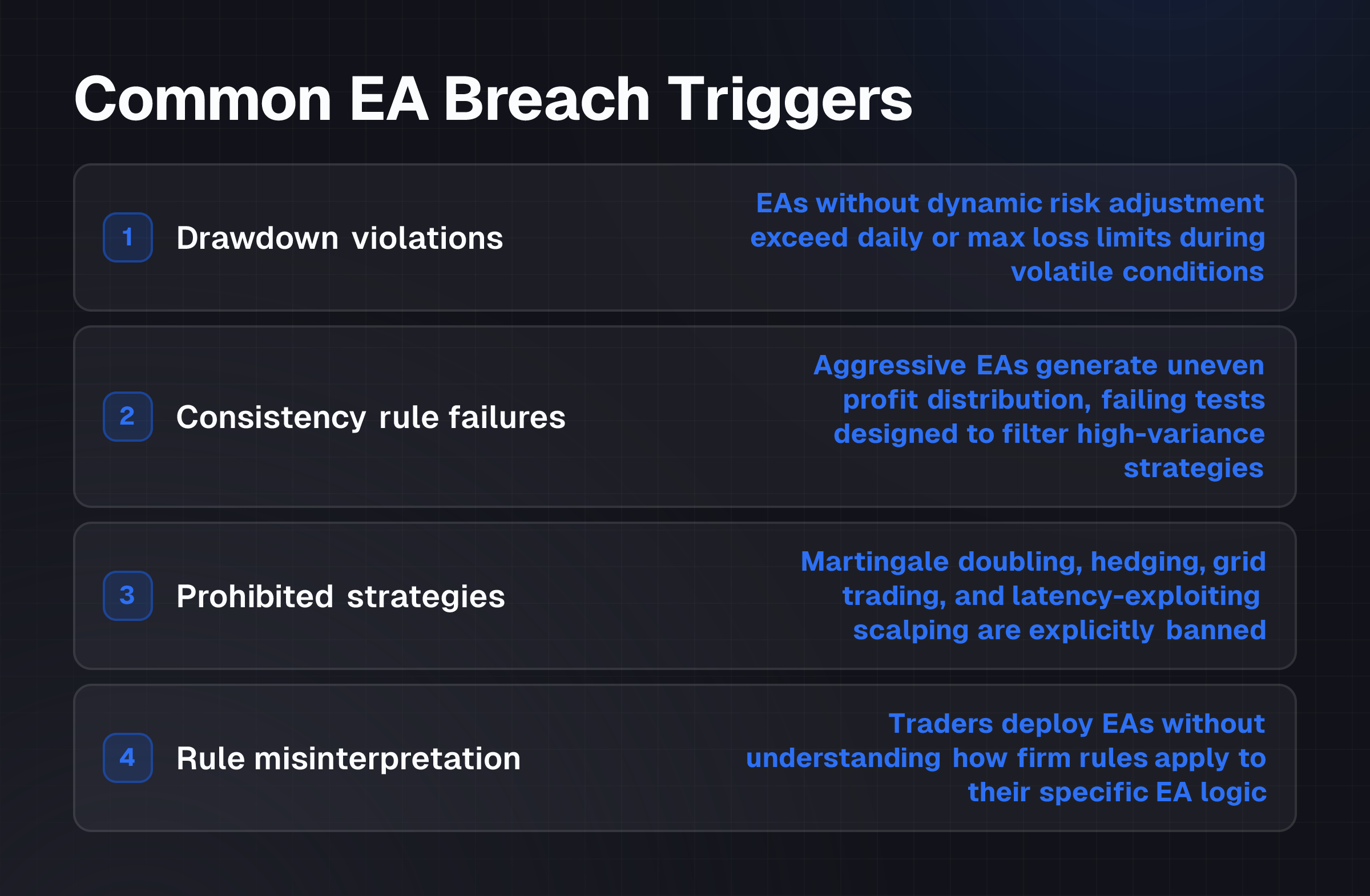
Expert Advisors fail on prop firm accounts for one core reason: they automate risk management without accounting for firm-specific constraints. The most common breach triggers are:
- Drawdown violations: EAs without dynamic risk adjustment exceed daily or maximum loss limits during volatile conditions
- Consistency rule failures: Aggressive EAs generate uneven profit distribution across trading days, failing tests designed to filter high-variance strategies
- Prohibited strategies: Martingale doubling, hedging, grid trading, and latency-exploiting scalping are explicitly banned by most firms
- Rule misinterpretation: Traders deploy EAs without understanding how a firm's "no hedging" rule applies to their specific EA logic
The prevention step is identical for all: map every EA rule to every firm rule before live deployment, then backtest that specific configuration on the firm's own server environment.
What you need first: Documentation and configuration tools
Before you touch your EA, gather these three categories of information:
Firm rule documentation
Obtain your prop firm's complete trading rules document. This must include:
- Daily drawdown limit (maximum loss in a single trading day)
- Maximum drawdown from peak balance
- Consistency rule thresholds (e.g., minimum profit per day, maximum loss on any day, or profit variance caps)
- Explicit list of prohibited strategies: note whether martingale, hedging, grid trading, reverse hedging, or high-frequency scalping are banned
- Permitted trading hours (many firms restrict trading during news events or outside standard market hours)
- Permitted asset classes and instruments
- Maximum number of concurrent positions or trades per period
- Latency or execution tolerance specifications
Many firms publish these in their platform terms or challenge rules. If yours doesn't, request them from support before you begin EA configuration.
EA source code or strategy parameters
You must have full read access to your EA's logic. If you're using a closed-source EA, you can't safely deploy it on a prop account because you can't verify its rules compliance. At minimum, obtain:
- The EA's entry and exit logic
- Risk management module: how does it size positions, adjust lot sizes, or scale trades?
- Whether it uses martingale, anti-martingale, fixed fractional, or other position-sizing methods
- Any hedging or offsetting logic
- Trade frequency and target profit per trade
- Whether it trades outside standard hours or on restricted assets
If the EA vendor can't provide this, the EA isn't suitable for prop trading.
Backtesting and live-testing environment
You'll need:
- Access to your firm's demo or challenge account (most prop firms offer this before funded accounts)
- Historical data matching the firm's data feed and timezone
- The ability to run the EA on the firm's servers and observe its behavior under actual latency conditions
- A spreadsheet or rule-checking document to verify each trade against firm rules post-execution
Step-by-step: Audit and configure your EA before deployment
Step 1: Create a rule compliance matrix
On a spreadsheet or document, list every rule from your firm's documentation in one column. In the next column, describe how your EA either complies with or violates that rule.
Example matrix:
| Firm Rule | EA Behavior | Compliant? | Notes |
|---|---|---|---|
| No martingale; no doubling down after loss | EA uses fixed lot size; never increases after loss | ✓ Yes | Check backtest confirms this. |
| Max daily drawdown 5% | EA's largest single losing trade is 2%; daily max is 3% in backtests | ✓ Yes | Verify on live data; slippage may increase this. |
| Max drawdown from peak 10% | EA's largest peak-to-trough in backtest is 8% | ✓ Yes | Add 2% buffer for live slippage; monitor weekly. |
| Consistency: profit on ≥4 of 5 trading days | EA generates profit 3 of 5 days in backtest, loss on 2 | ✗ No | Breach: reconfigure entry/exit or accept rule fails. |
| No hedging: no opposing positions on same asset | EA never opens long and short on same pair simultaneously | ✓ Yes | Confirm EA logic; no workarounds. |
| No arbitrage or latency exploitation | EA's avg hold time 4 hours; no sub-50ms scalping | ✓ Yes | Consistent with firm intent. |
| Trading hours: 8am, 5pm EST only; no news events | EA trades 24/5 on MT4 default settings | ✗ No | Breach: add session filters and news calendar. |
| Max 50 trades per week | EA averages 120 trades/week in backtest | ✗ No | Breach: reduce trade frequency or accept rule fails. |
Threshold: Any "✗ No" entry means the EA violates that rule. You must either reconfigure the EA, disable it for that condition, or accept you can't use it on that firm's account.
Step 2: Reconfigure the EA to match firm rules
For each "No" result, make one of three choices:
Option A: Modify EA parameters
- Reduce position size to lower daily drawdown impact
- Tighten stop-loss to prevent large losses
- Add session filters to restrict trading hours
- Add asset filters to trade only permitted instruments
- Reduce trade frequency using entry filters or time delays
Option B: Add external constraints (EA wrapper) If the EA vendor doesn't allow parameter changes, use a wrapper or expert advisor:
- Cap daily loss with a kill switch that closes all positions or pauses trading
- Enforce consistency by tracking daily profit and adjusting lot size
- Filter out news events using a news calendar addon
- Block trades outside permitted hours
Option C: Accept the breach risk Don't deploy that EA on that firm. This is the safest choice if you can't modify or wrap the EA.
Criterion: The EA must pass all "no" rules before step 3. If you can't resolve a breach, don't proceed.
Step 3: Backtest the configured EA on the firm's data and timezone
Run your modified EA on historical data that matches:
- The firm's data feed (not retail broker data; request firm-specific data if available)
- The firm's timezone (if the firm is in a different timezone, times matter for session filters and consistency rules)
- A period that includes at least one major volatility event (so you see how the EA handles stress)
During backtesting, manually verify:
- No trade violates the daily drawdown limit
- No trade violates the max drawdown from peak
- Profit distribution meets consistency rules across the backtest period
- No trade occurs outside permitted hours
- No prohibited strategies (martingale, hedging, arbitrage) are triggered
- Trade frequency stays within limits
Threshold: If any trade in backtest violates a firm rule, the EA isn't ready. Reconfigure and retest.
Step 4: Deploy on the firm's demo or challenge account
Don't move to a funded account. Most prop firms offer a demo or challenge account that runs on the same servers and enforces the same rules. Deploy your EA there first.
Specific criteria during demo phase:
- Run the EA for at least 10-20 trading days, ideally through a mix of quiet and volatile markets
- Track every trade and cross-check it against the firm's rule list
- Monitor daily profit/loss against consistency thresholds
- Observe actual latency and slippage; confirm they stay within your tested assumptions
- Check that session filters work as intended in live conditions
- Verify the EA doesn't trade outside permitted hours or on restricted assets
Threshold: The account must survive the full demo period without any rule violation. If it violates a rule once, the EA isn't ready for funded capital.
Step 5: Request rule clarification for edge cases
Many traders breach accounts because they misinterpreted a rule. Before moving to funded capital, clarify any ambiguous rules with support:
- "No hedging": Does this mean no opposing positions, or does it forbid any risk-reduction strategy (including protective stops on long positions)?
- "Consistency rule": Is it measured daily, weekly, or rolling? What if the EA is profitable overall but has one losing day?
- "No arbitrage": Does this include statistical arbitrage, pairs trading, or only latency-based exploitation?
- "Grid trading": Is it banned entirely, or only if it generates excessive server load?
Get written clarification. Many rule breaches stem from interpreting "no hedging" differently than the firm intended.
Criterion: Your firm's support must confirm in writing that your configured EA complies with all rules before you proceed.
Step 6: Deploy on funded account with continuous monitoring
Once the demo phase passes all checks and rule clarifications are in writing, you can move to a funded account. However:
- Monitor the first 5-10 trading days closely; don't assume live behavior matches demo behavior
- Log every trade and rule check; if the firm ever flags a violation, you need evidence you complied
- Set alerts for daily drawdown approaching the limit (alert at 75% of your daily max)
- Set alerts for consistency thresholds being approached
- If the EA behaves differently on funded capital than on demo, pause it immediately and investigate
Threshold: If any violation occurs, the firm will terminate your account. Revert to demo, identify the root cause, reconfigure, and retest before attempting funded capital again.
Worked example: Martingale EA audit and reconfiguration
Assume you have an EA that uses a martingale strategy: after each losing trade, it doubles the lot size on the next trade to recover losses faster. Your prop firm explicitly forbids martingale strategies.
Rule compliance matrix entry:
| Firm Rule | EA Behavior | Compliant? |
|---|---|---|
| No martingale; no doubling after loss | EA doubles lot size after each loss | ✗ No |
Why this breaches: A martingale EA guarantees one outcome: a series of consecutive losses will eventually produce a catastrophic loss that exceeds the daily or maximum drawdown limit. For example:
- Trade 1: 0.1 lot, loss $100
- Trade 2: 0.2 lot, loss $200
- Trade 3: 0.4 lot, loss $400
- Trade 4: 0.8 lot, loss $800
- Trade 5: 1.6 lot, loss $1,600
After 5 losses, you've lost $3,100 on a $10,000 account (31% drawdown). Most prop firms cap daily drawdown at 5-10%, so this EA would breach on day 1.
Reconfiguration option A: Replace martingale with fixed fractional
Modify the EA to use fixed fractional sizing: always risk a fixed percentage of current account equity (e.g., 1% or 2%), not a fixed lot size.
- Trade 1: Risk 1% of $10,000 = $100 → lot size 0.1
- Trade 2: Risk 1% of $9,900 = $99 → lot size ~0.1
- Trade 3: Risk 1% of $9,800 = $98 → lot size ~0.1
- Trade 4: Risk 1% of $9,700 = $97 → lot size ~0.1
With fixed fractional sizing, your maximum loss on any day is predictable and stays within firm limits.
Reconfiguration option B: Add a maximum loss kill switch
If you can't modify the EA's core logic, add a wrapper:
IF daily_loss >= 5% THEN
  close_all_positions()
  pause_trading_until_next_day()
ENDIF
This stops the martingale spiral before it breaches the daily drawdown limit. However, the firm may interpret forced closing as evidence you were trying to hide a violation; clarify this with support beforehand.
Reconfiguration option C: Don't deploy
If the EA vendor won't allow modification and you can't add a wrapper, don't use this EA on a prop account. Martingale EAs are explicitly banned because they produce exactly the kind of risk the firm is designed to prevent.
Outcome: Once reconfigured, backtest the fixed fractional version over 500+ trades, confirm no trade violates the daily 5% drawdown, then deploy on demo for 20+ days before moving to funded capital.
Common mistakes: Why EAs still breach even after backtesting
Mistake 1: Backtesting on retail broker data, not firm data
Your EA may pass a backtest on your personal trading account's historical data but fail on the firm's data because:
- Retail broker data often has wider spreads than the firm's institutional data
- Timezone differences shift when session filters trigger
- Slippage assumptions differ between venues
Prevention: Always backtest on the firm's data feed, using the firm's timezone, with slippage estimates that match firm server latency (typically 10-50 ms for prop firms).
Mistake 2: Confusing "profitable" with "compliant"
An EA that makes money isn't automatically compliant. An EA might be +$5,000 over 100 trades but violate consistency rules by generating 90% of profit on a single day.
Prevention: Your compliance matrix must check every firm rule, not just profitability. A rule-violating EA loses your account regardless of P&L.
Mistake 3: Misinterpreting hedging rules
Many traders believe "no hedging" means "no protective stops." In fact, it typically means "no opposing positions on the same asset simultaneously." If your EA opens a long position and then opens a short position on the same pair at the same time, that's hedging and will breach.
Closing a long position and then opening a short on the same pair isn't hedging (positions are sequential, not simultaneous). Some firms allow this; others don't. Clarify before deployment.
Prevention: Get written confirmation from the firm on what hedging means in the context of your EA's logic.
Mistake 4: Ignoring latency and slippage
Your EA may execute perfectly in backtests but encounter latency-related failures on the firm's live servers:
- Delayed fills cause stops to trigger late, increasing loss size
- Slippage widens the drawdown
- High-frequency order queuing causes entries to miss
These real-world conditions can push an EA that passes backtests into rule violations on day 1 of live trading.
Prevention: Always test on the firm's demo account first. Use slippage and latency estimates of 10-50 ms for prop firms, not 0 ms.
Mistake 5: Running an EA "out of the box"
Vendors publish EAs with generic parameters designed for retail trading. Prop firm rules are stricter. An EA that works on a personal FTMO account may fail on a different firm because the consistency rule is stricter or the hedging definition is different.
Prevention: Don't assume your EA is compliant anywhere. Audit it against each specific firm's rules before deployment.
Mistake 6: Deploying on funded capital before demo phase passes
The fastest way to lose an account is to skip the demo phase. Even if your backtest is perfect, live conditions introduce variables:
- The firm's server may have different latency than you expect
- Your session filters may trigger at unexpected times
- The consistency rule enforcement may differ from the documentation
Prevention: Always run at least 20 trading days on demo with zero violations before moving to funded capital. If the demo phase produces a rule violation, don't proceed.
Frequently asked questions
What is the most common EA breach reason?
Drawdown violations top the list. EAs without dynamic risk adjustment exceed daily or maximum loss limits during volatile market conditions. The second-most common is consistency rule failures: EAs that generate profit unevenly across trading days (e.g., +$10,000 on Monday, −$1,000 Tuesday through Friday) fail consistency checks. Third is strategy prohibition: martingale EAs double down and hit drawdown caps, or grid trading EAs generate excessive server load and trigger latency abuse flags.
Can I use a martingale EA if I modify the lot size?
Yes, if you replace martingale position sizing with fixed fractional sizing. Fixed fractional (e.g., 2% risk per trade) isn't martingale because it doesn't double down after losses. However, most martingale EAs are built around doubling logic; replacing it requires code-level changes or a wrapper. If the vendor won't allow modification, the EA isn't suitable for prop trading.
How do I know if my EA violates a consistency rule before deployment?
Backtest it over at least 100 trades and track daily profit/loss. If your firm's consistency rule is "profit on ≥4 of 5 trading days," count how many days your EA is profitable in the backtest. If it fails more often than the rule allows, reconfigure entries, exits, or position sizing, then retest. Demo phase is your final verification: run 20+ days and confirm profit distribution meets the rule.
Does my EA count as "hedging" if it closes a long, then opens a short on the same pair?
Typically no, positions are sequential, not simultaneous. However, some firms interpret "no hedging" narrowly to forbid any correlated offsetting. Request written clarification from your firm. If your EA regularly transitions from long to short on the same pair, confirm with support that this is allowed before deployment.
What latency and slippage should I assume in backtests?
Prop firms typically operate on servers with 10-50 ms latency. Use 10-20 ms for entry latency and 15-30 ms for exit slippage in your backtest calculations. If your EA is designed for ultra-fast scalping (hold times under 1 minute), add 30-50 ms to account for queue delays. Always verify actual latency on the firm's demo account before funded deployment.
Can I pause or disable my EA if it's about to breach a rule?
Not safely. Most prop firms monitor live trading and will flag accounts that manually override risk controls. If you need to pause the EA to prevent a breach, you likely misconfigured it. Instead, deploy on demo until the EA consistently complies without manual intervention. If it requires active oversight to avoid breaches, it isn't ready for funded capital.
For a step-by-step guide on verifying that a firm genuinely allows Expert Advisors before you begin configuration, see How to check a firm really allows Expert Advisors. If you're comparing automation strategies across different prop firms, Tradeify vs FTMO: Futures Funding or Forex/CFD Prop Trading? outlines the rule differences between futures and forex prop models. For broader context on rule enforcement, Prop Firm Overnight holding Rules: A Trader's Checklist covers another common breach trigger outside of EAs.